MX-01
Intelligent Corrective EQ
Less fighting the frequencies. More time making the mix.
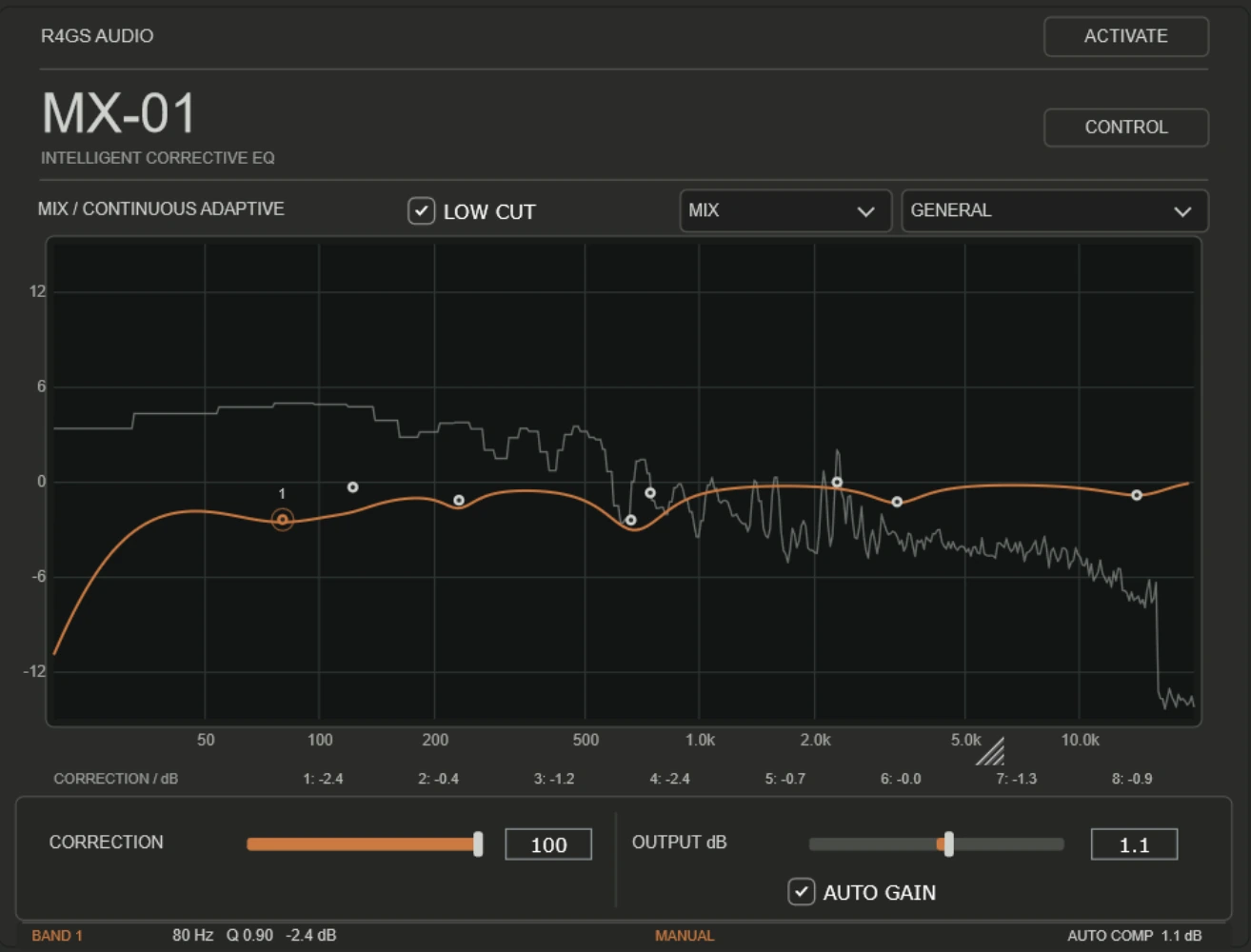
MX-01 user guide
Work on individual sources using Source mode and its listening and analysis tools, or use gentler continuous correction on a full mix. Switch between Spectrum and Control to edit graphically or with the knobs.
Download MX-01 guide (PDF)MX-01
Intelligent Corrective EQ
Find the build-up.
Keep the character.
Some tracks sound congested, harsh or uneven, but finding the offending frequencies can take longer than it should. MX-01 listens to the material, identifies areas worth addressing and builds a corrective EQ response you can inspect and adjust.
Mix mode continuously analyses incoming audio and adapts its corrective EQ as the frequency balance changes. Rather than applying a fixed EQ curve, it responds to the material in real time, helping control unwanted resonances and tonal build-up while preserving the character of the recording. It is designed for full mixes and individual tracks where the frequency content changes throughout the performance.
Source mode analyses approximately 25 seconds of audio, then holds a stable corrective EQ curve. This provides a consistent starting point for individual instruments, vocals or other material where a fixed correction is preferable.
Eight EQ bands, a live spectrum view, selectable profiles, low-cut, manual overrides and output-level management help you refine the result rather than surrender control.
Status: MX-01 v0.9.22 is in development and testing. Mac and Windows releases are planned; pricing, trial and download links are not yet announced.
What MX-01 is and isn't.
A corrective tool that offers a useful starting point, not a promise to make every recording sound perfect.
An intelligent EQ assistant for identifying tonal build-up and making controlled corrective moves. You can review the curve and change the result.
An automatic mastering engineer, a mix-quality score, or a substitute for monitoring, arrangement and judgement. It won't fix bad performances or room acoustics.
Continuously follows changes in the incoming audio, helping manage tonal build-up as an arrangement moves between sparse and busy sections. Use it on full mixes or evolving recordings, and check the result by listening.
Analyse approximately 25 seconds of representative audio, then work from a stable corrective EQ curve.
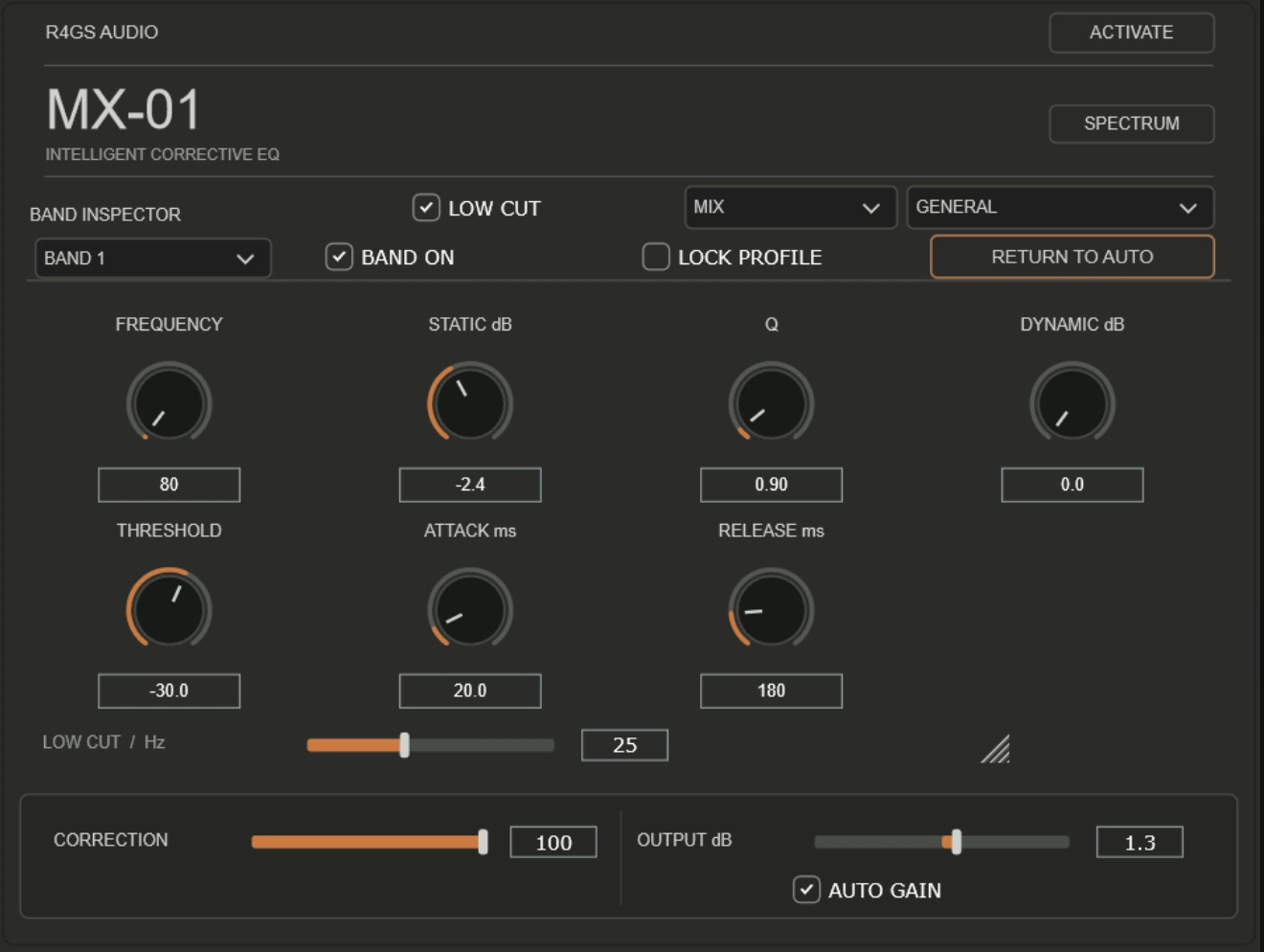
A sensible starting point
- Insert MX-01 on a track or mix bus.
- Choose Mix or Source according to whether you want an adaptive or stable response.
- Play representative material and inspect the proposed correction.
- Reduce or override anything excessive. The suggested curve is a starting point, not an instruction.
- Level-match and bypass. Keep the correction only if the audio actually improves.
What to listen for
- LOW-MID BUILD-UP
- Does the correction make the mix clearer without stripping warmth?
- HARSHNESS
- Does it ease difficult frequencies without dulling vocals or guitars?
- TONAL STABILITY
- Does Mix mode adapt naturally, without distracting changes in colour?
- MANUAL CONTROL
- Can you keep the musical decisions you prefer over the automatic suggestion?
MX-01 user guide
Explore Mix and Source modes, the spectrum and CONTROL views, manual overrides, correction strength and practical examples for guitars, vocals, bass and full mixes.
Download MX-01 user guide (PDF)
Development guide for v0.9.22. Final licensing, preset recall and performance testing are still in progress.
MX-01 is not yet available for public download or purchase. macOS AU/VST3 and Windows VST3 are the priority platforms.
Contact R4GS Audio about MX-01.